 Nous
Teleport
Open a SpaceApp browser pane live on your phone, full screen, with touch and keyboard.
Features
Nous connects to your own SpaceApp and shows what its agents are doing, what waits on you, and lets you act on it. The screens below are the real app with sample data.
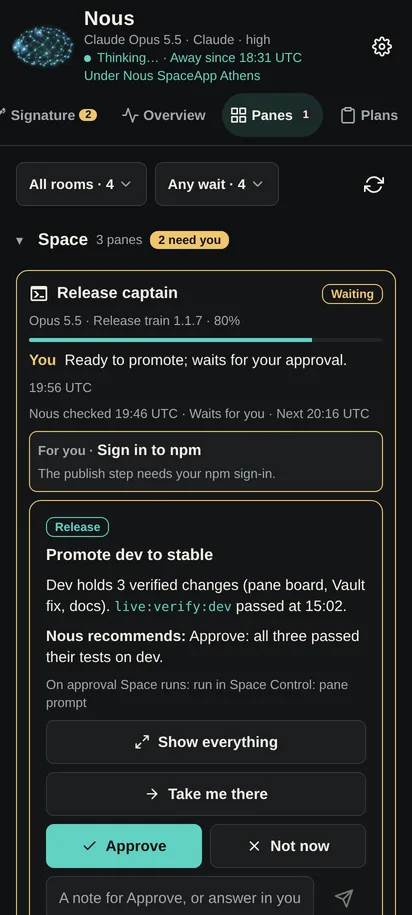
When an agent is blocked or waits for your decision, Nous alerts you. The card shows the question, what the agent recommends and what will run when you approve. Approve, decline or write an answer, and the pane goes on.
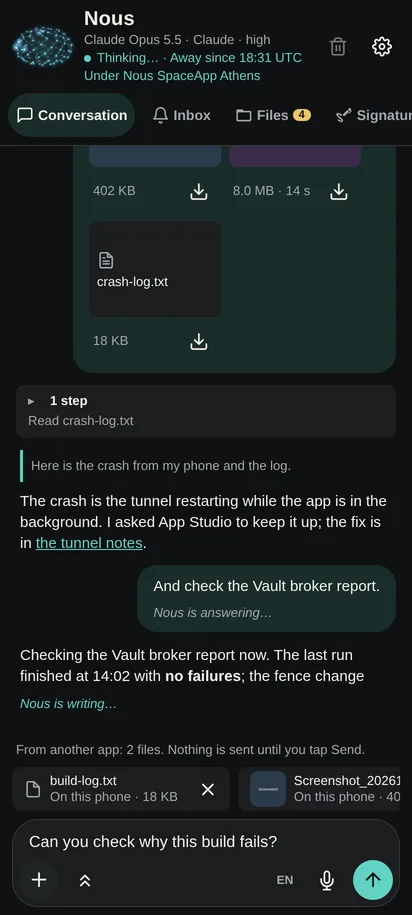
Nous is SpaceApp's mind: it knows what every pane is doing. Write to it, or hold the mic and speak. Attach files and photos from the phone or share them from another app; nothing is sent until you tap Send.
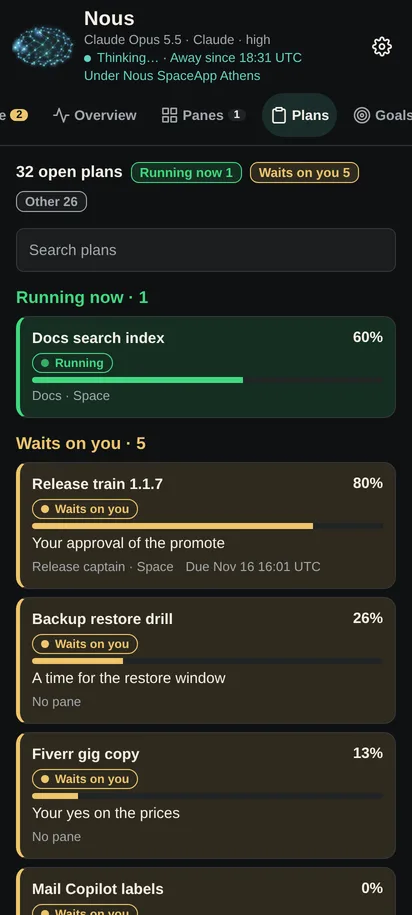
Follow every plan your agents work on: what runs now, what waits on you, and how far each one is. Review the decisions Nous asks you to make and the goals it works toward.
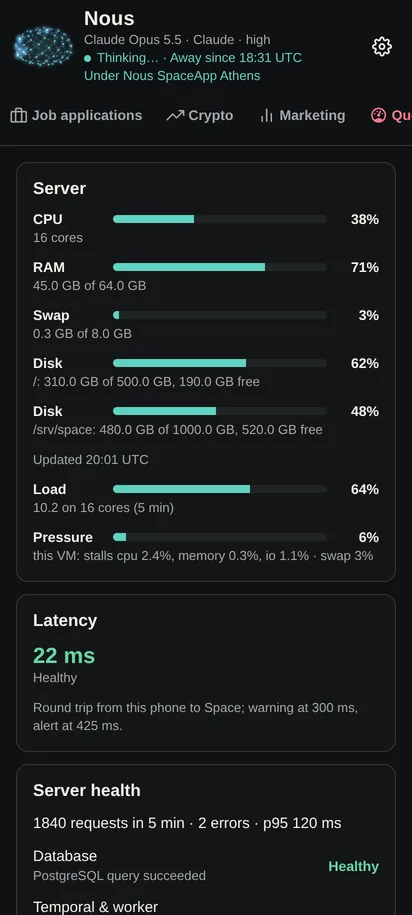
The overview shows your appointments and live stats; resources show your SpaceApp server's CPU, memory, disks, load and the latency from your phone.
Open a SpaceApp browser pane live on your phone, full screen, with touch and keyboard.
When a PDF needs your signature, sign it on the phone; no printer needed.
Open the files your agents share, play media and read PDFs in the app.
Connect over your LAN, a VPN or your own domain. A WireGuard tunnel is built in.